

A GHL pipeline design where every stage has its own colour
On the stock board, New lead and Under contract look the same: grey columns, white cards. Give each stage a colour and you can see at a glance where buyers stall, from the first Zillow inquiry to the keys.
Your stage names stay yours
The design never reads your stage names. It colours columns in order, so this sample buyer pipeline would look right whatever you call the stages, in every sub-account.
Try it: click a design and the sample board restyles itself. Scroll the board sideways to see every column, then switch the sidebar finish.
Unlocking the showing…
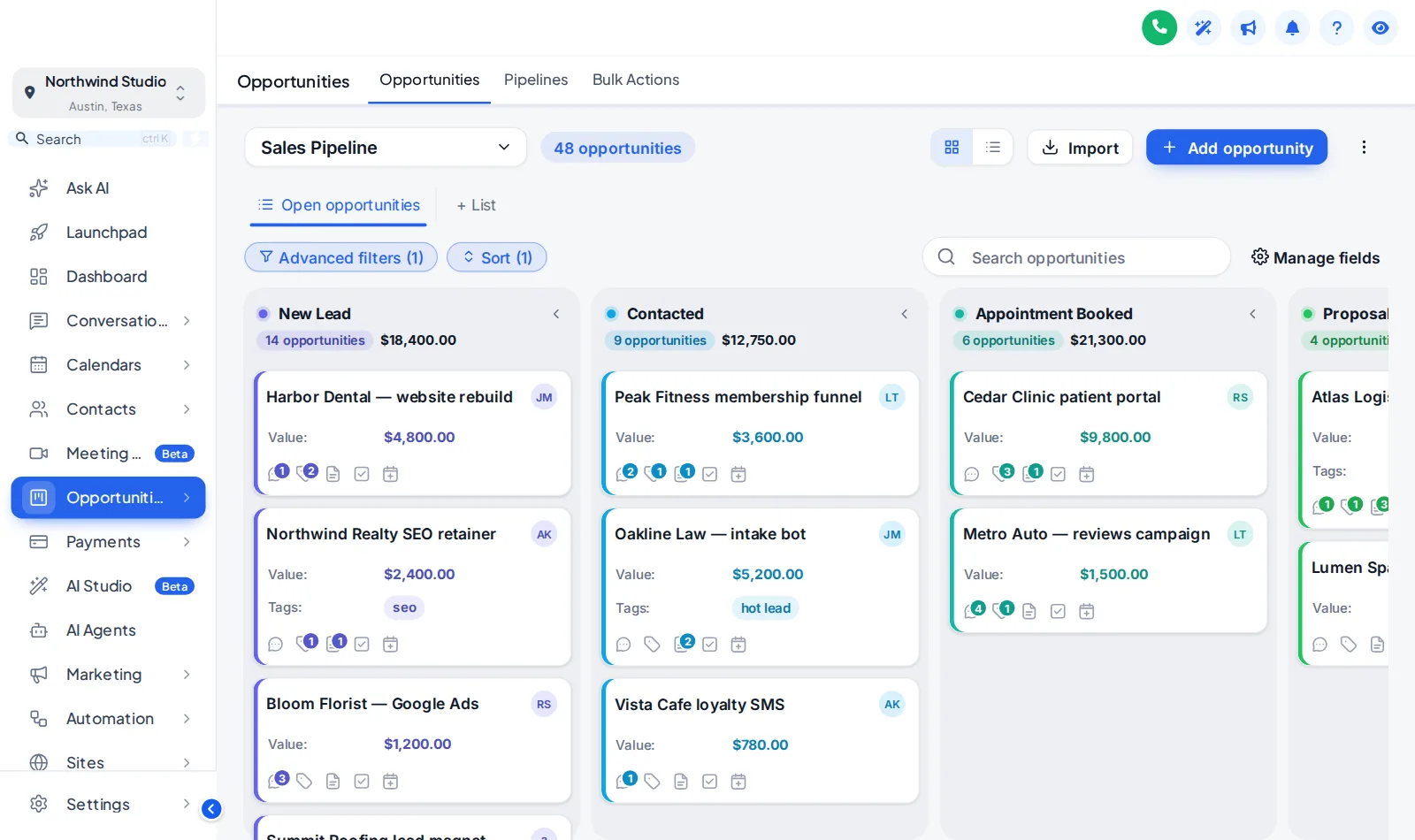
Now showingClean LightA copy of the GoHighLevel opportunities board, restyled by the real engine. Stage colours follow column position, so a buyer pipeline and a listing pipeline both pick them up.
Stage columns
Headers as cards, plain, tinted, filled or underlined, a colour dot and deal counts as text or a badge.
Deal cards
The stage colour as a stripe or dot, tinted cards if you like and three densities from compact to spacious.
Values that stand out
Deal value in bold and in the stage colour, so a $1.2M listing never hides among the fields.
Toolbar and filters
Pipeline picker, filters, search and buttons in soft, pill, glass, outline or bold, matched to the board.
Pick a board
Open the Opportunities tab in the theme editor, switch the restyle on and click one of the templates.
Set the stage colours
Keep the template colours, build them from your brand colour or set each column yourself.
Save
Every sub-account board picks up the design on its next page load. No pipeline, stage or deal changes.
Pipeline boards come with Listing Pro
GHL pipeline design FAQ
It is the look of the GoHighLevel opportunities board: stage columns, deal cards, the toolbar and the list view. The customizer ships 12 board designs, light and dark, and applies them in the browser without touching your pipelines.
No. Pipelines, stages, deals, values and automations stay exactly as they are. Only how the board looks changes.
Colours are given out by column position, not stage name. The first column gets the first colour, the second the next, repeating after the last. A five-stage buyer pipeline and an eight-stage listing pipeline both get a colour for every column.
Yes. Cards stay put on hover and the board keeps GoHighLevel’s own drag and drop, so moving a deal from Showing booked to Offer made works exactly as before.
Yes, when you want it to be. The table behind the list toggle can follow the same design.
Yes. Several board designs have a matching dashboard design, and both can build their colours from your brand colour.
Yes. 2 of the 12 designs are dark boards with light text on dark columns and cards.
It starts in Listing Pro ($617 one-time) and is also part of Luxury Estate.
Rooms that work with the board
- The key boxContact actions barQuick tags and one-tap buttons on the contact page that start workflows and fill custom fields from a short pop-up form.From Listing Pro
- The living roomDashboard designs18 sub-account dashboard designs with a welcome banner, live clock, quick links, photo backgrounds and brand chart colours.From Listing Pro
- The floor planMenus & navigationRename, reorder and hide menu items, switch to a top bar in 8 styles, add mega menus in 8 styles and a floating quick menu.From Listing Pro
- The appraisalCalculators14 calculator types and 134 templates, including database reactivation, ROI, speed-to-lead and stack replacement.From Luxury Estate
See every deal at a glance.
Pipeline boards, dashboards, mega menus and one-tap contact actions are all in Listing Pro.
GoHighLevel and HighLevel are trademarks of HighLevel, Inc. Real Estate Snapshot is an independent team and is not affiliated with, endorsed by or sponsored by HighLevel, Inc. The GHL Customizer account runs on the GHL Customer Care customizer platform; GoHighLevel itself is a separate subscription you buy from HighLevel.