
Key Takeaways
🤖 Automate follow-ups, messages, and appointments without lifting a finger
🧭 Track every lead from “Just browsing” to “Sold!” in one easy dashboard
🔁 Save hours every week with pre-built real estate workflows and funnels
🌟 Boost your reputation automatically with review-generation campaigns
💬 Connect all your channels website, texts, Facebook, Instagram in one inbox
What is a Real Estate Snapshot in GHL
- Lead capture pages (for buyers, sellers)
- Multi-stage pipelines (e.g., Appointment → Confirmed → Showing → Offer → Closed)
- Automated follow-up workflows (SMS, email, chat)
- Chatbot or AI-assistant for inbound web or Facebook/Instagram leads
- Appointment booking system + calendar integration
- Review generation system and nurture sequences
- Pre-built branding templates, custom fields, tags
🧠 In other words, it’s like hiring an assistant, a marketer, and a CRM specialist all at once.
Why Real Estate Professionals Are Choosing Snapshots
Speed to value
Instead of weeks or months to build out a marketing stack, workflow logic and CRM from scratch, a ready snapshot lets you get going in days.
Consistency & scale
Because you’ve got standardised pipelines, tags, and custom values, you can scale across listings, agents or markets without “re-inventing the wheel.”
Lead follow-up wins
Studies show leads who are contacted within 5 minutes are much more likely to convert. Automation closes that window.
All-in-one approach
GoHighLevel is already known for being a unified platform (CRM + funnels + SMS + email + chat). The snapshot wraps all that real-estate specific logic in one package.
Cost-effective
Stop Losing Leads You Already Paid For
Key Components Inside a Real Estate Snapshot
Here’s a breakdown of the most common modules you’ll find in a “Real Estate Snapshot in GoHighLevel” and how you can use them.
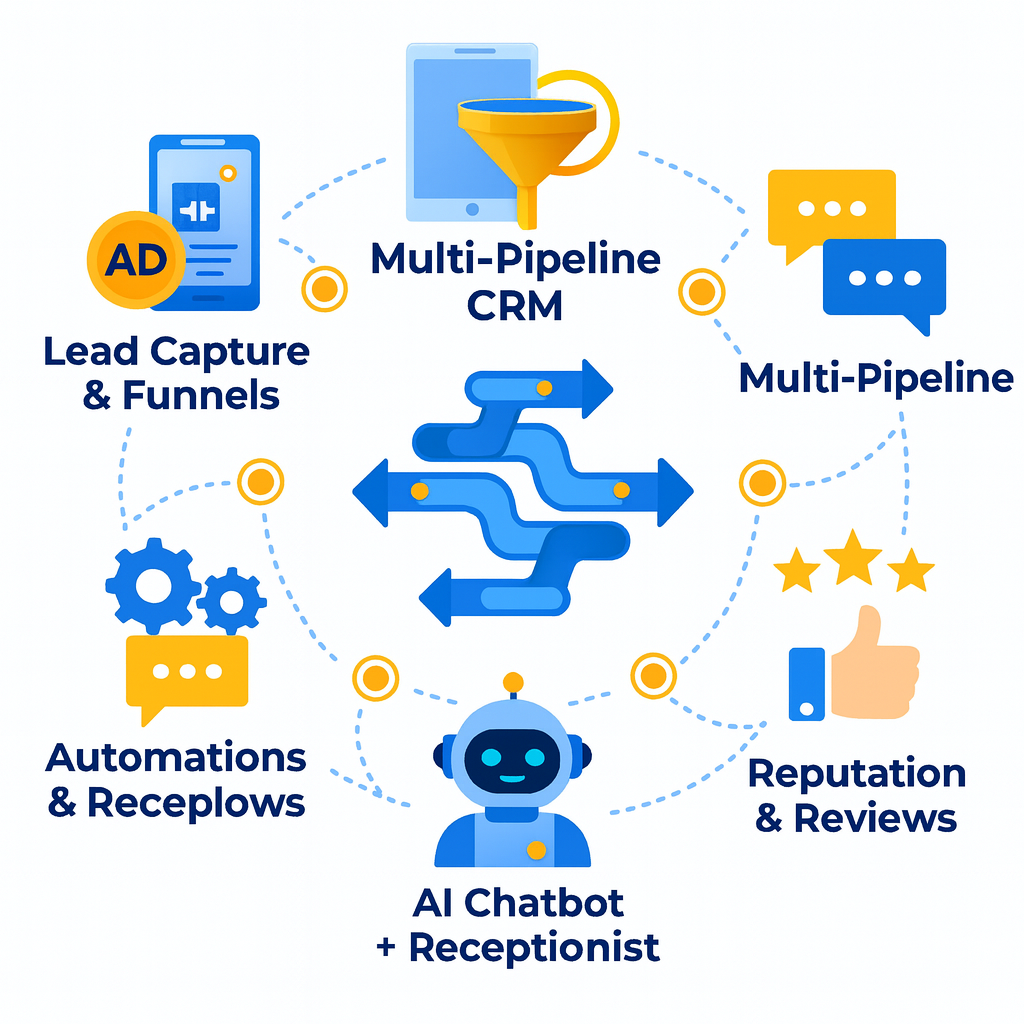
Lead Capture & Funnels
- Buyer funnel: Lead sees ad → landing page → opt-in for listing info → auto-schedule viewing or call.
- Seller funnel: Lead sees seller’s guide offer → form completion → auto-trigger valuation appointment.
- Landing pages come pre-built (mobile-responsive) so you just plug in your branding and property details.
Multi-Pipeline CRM
- Typical pipelines might be: Appointment Booking, Cold Email Campaigns, Database Reactivation, Support/Ticket System.
- For example: Appointment Booking → Booked → Reminder Sent → Completed → No-Show → Reschedule. This is often built in.
- The pipeline structure lets you move leads through a logical path — and automate triggers at each stage (e.g., “No-Show” triggers SMS reminder).
Automations and Workflows
- Lead capture triggers: When form submitted → tag as Buyer or Seller → assign to agent → send thank-you email + SMS.
- Review generation workflow: After closing → automatically send review request SMS + email and follow up if not responded.
- Database reactivation: Cold leads (leads who went quiet) are re-engaged with nurture sequences (e.g., “Here’s what the market’s doing right now”).
- Smart reminders: Appointment book → ICS invite → day-of SMS reminder → post-booking follow-up.
AI Chatbot + Receptionist
- Handles SMS, web chat, and Facebook/Instagram DMs
- Books appointments and answers FAQs
- Escalates to a human when needed
You’ll never lose another lead to “Sorry, I was showing a property.”
Reputation & Reviews
Automatically collect reviews post-closing and grow your online reputation while you sleep.
How to Implement a Real Estate Snapshot in GHL
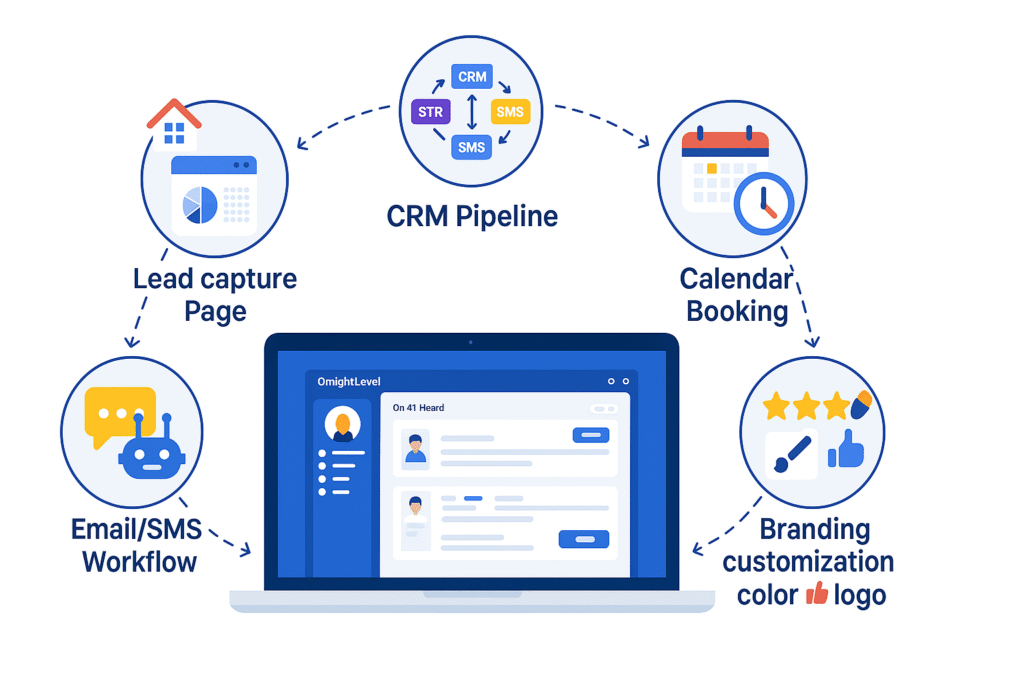
Setting up your Real Estate Snapshot in ghl is simple here’s how to get it running fast:
1️⃣ Pick Your Snapshot
Choose between GoHighLevel’s built-in Real Estate Snapshot or a premium version with extra workflows and funnels.
2️⃣ Import It
From your Agency View, click “Create Sub-Account from Snapshot” and import the file or link. Your full setup loads instantly.
3️⃣ Brand It
Swap in your logo, colors, and domain. Update emails, forms, and funnels with your voice. Add tags like “Buyer – Hot Lead” or “Seller – Follow Up.”
4️⃣ Connect Your Tools
Link Twilio (SMS/calls), Mailgun or Gmail (emails), Calendars, and Facebook/Instagram for leads and DMs.
5️⃣ Check Workflows & Pipelines
Review automation steps — make sure messages, reminders, and delays fit your process. Send texts within 5 minutes of new leads!
6️⃣ Test Everything
Run a test lead through your funnel. Confirm tags, follow-ups, and reminders fire correctly.
7️⃣ Go Live
Turn on ads or share funnels. Track your first 2 weeks leads, appointments, and response time.
8️⃣ Refine & Improve
Adjust what’s not working, tweak messages, and add seasonal or reactivation campaigns.
Tips to Keep Your Automation Running Smoothly
🚫 Don’t “set it and forget it.”
Automation isn’t a one-time setup—it’s something you fine-tune over time. Check in on your workflows regularly to make sure your messages still sound genuine and go out when they should.
🤖 Avoid sounding robotic.
People want to feel heard, not handled by a bot. Let your AI start the conversation, but be ready to step in personally when it matters. That human touch builds trust faster than any automation ever could.
📝 Keep your content fresh.
Markets change, listings shift, and your tone evolves. Update your emails, landing pages, and templates every few months to keep things relevant and relatable.
📊 Watch your numbers.
If your no-show rate goes up or replies slow down, don’t panic it’s just feedback. Use your data to spot what needs a tweak, whether that’s timing, messaging, or targeting.
📵 Stay compliant.
Always follow texting and email laws. Use proper opt-ins, respect opt-outs, and follow regional rules. It keeps your business safe and your reputation spotless.
Revive Your Dead Leads in Days Not Months
Old leads aren’t lost — they’re waiting. Our snapshot revives your database, cuts no-shows, and fills your calendar. One system, lifetime access, no fees.
Frequently Asked Questions
What exactly is a snapshot in GHL?
A snapshot is a pre-built sub-account template inside GoHighLevel that includes workflows, pipelines, funnels, forms and automations. It lets you deploy a full system in minutes rather than building from scratch.
Can I customise a real estate snapshot to my branding?
Is a real estate snapshot only for agents, or can brokers/teams use it too?
It works for solo agents, brokers, and real estate teams. The multi-pipeline structure supports team workflows, agent assignment logic, and scalable processes.
How long does it take to see results after implementing the snapshot?
Many users report seeing meaningful results within the first two weeks: more booked consults, fewer no-shows, and greater efficiency. Your results will depend on traffic and lead quality.
Do I need advanced tech skills to use a snapshot?
How much does it cost to use a real estate snapshot?
What integrations are typically included in a real estate snapshot?
Conclusion
If you’re serious about scaling your real estate business, investing time in setting up Real Estate Snapshots in GHL is a smart move. You go from juggling tools, missed leads, and manual follow-ups to running an organized, automated, high-conversion machine. The key is to implement properly, personalise for your market, monitor results, and tweak as you grow. Once set up, you’ll have more time to focus on the human side of real estate—building relationships and closing deals—while the system takes care of the rest.
Ready to Close More Deals?
Don’t lose another lead automate calls, texts, and follow-ups today.