
Make your systems work together to save time, convert leads faster, and close more deals
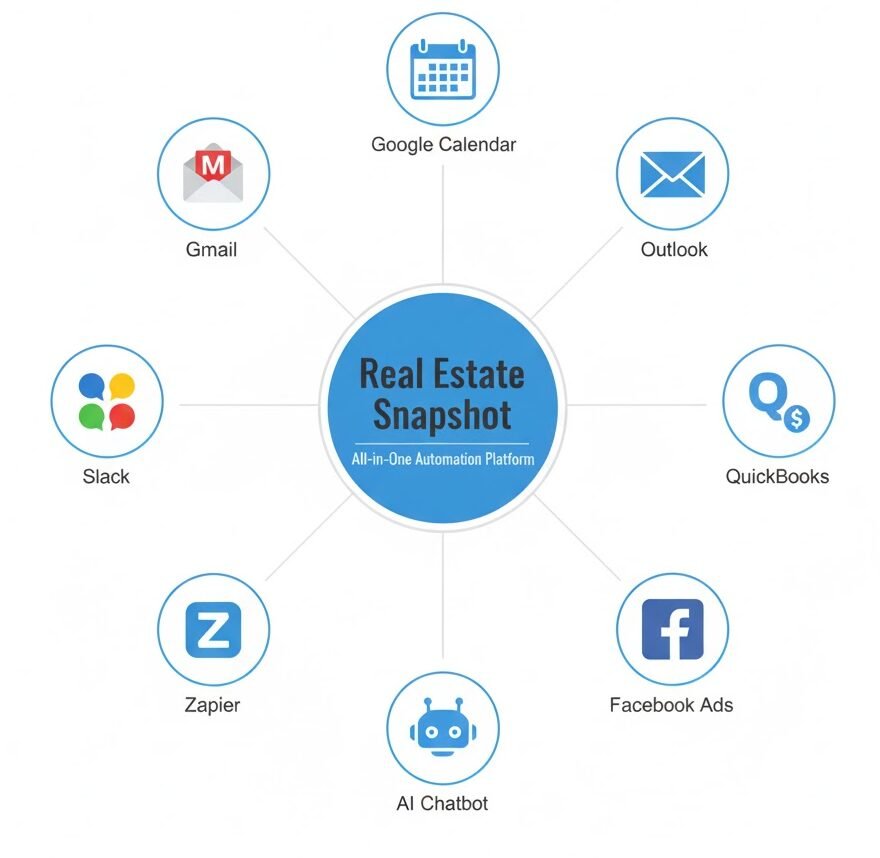
Let’s be real—juggling multiple tools as a real estate professional can get overwhelming fast. From calendars and CRMs to email marketing and invoicing platforms, everything needs to talk to each other. That’s where the Real Estate Snapshot comes in. It’s a powerful, automation-ready system built inside GoHighLevel (GHL), but what makes it truly magical is how easily it integrates with your existing tools.
In this guide, you’ll learn how to connect your Real Estate Snapshot with the systems you’re already using, so you can automate the busywork and focus on building relationships and closing deals.
Key Takeaways
Why Integrating Your Real Estate Snapshot Matters
Let’s say you’re already using tools like Google Calendar, Mailchimp, or QuickBooks in your business. The Real Estate Snapshot is designed to consolidate your communication, marketing, scheduling, and CRM into one centralized system. But without integration, you’ll still be hopping between platforms manually.
When everything works together:
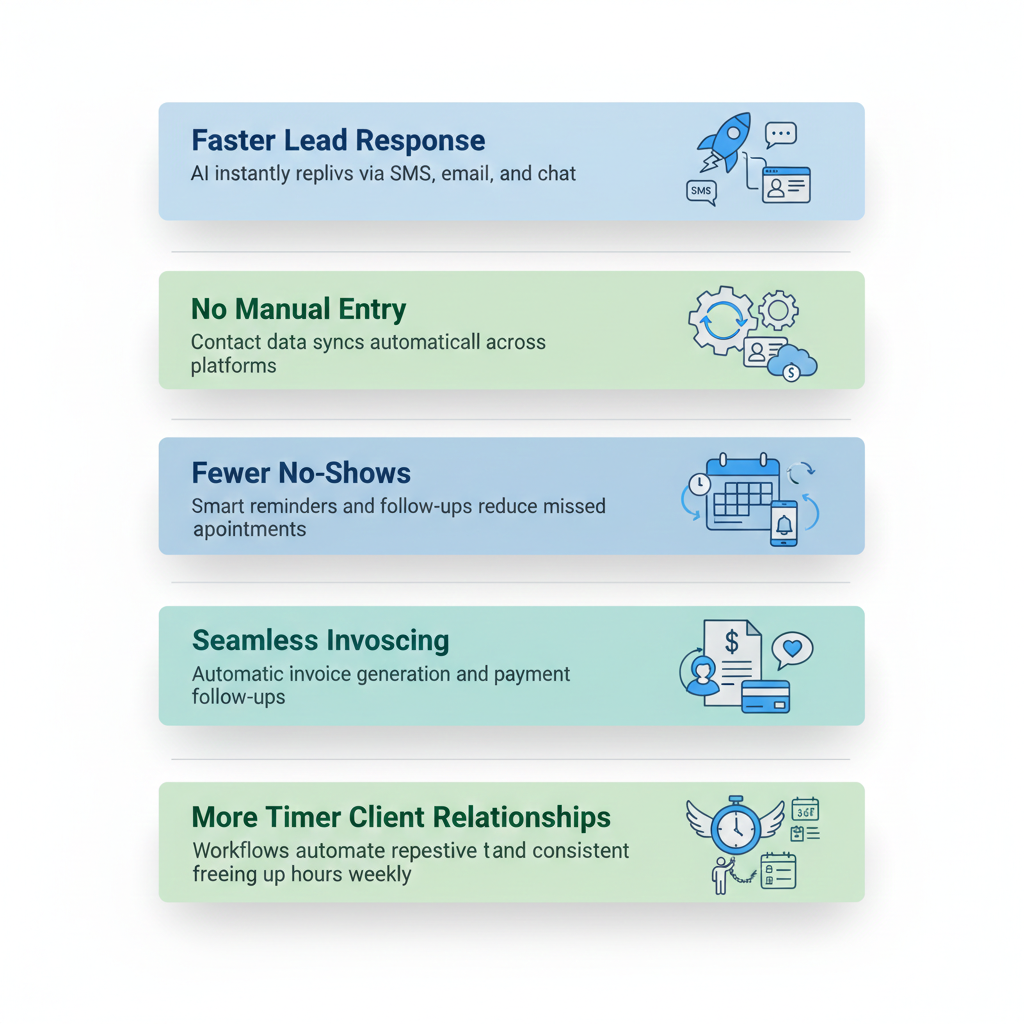
- New leads from Facebook Ads are nurtured automatically
- Appointments sync directly to your calendar
- Invoices are sent without lifting a finger
- You eliminate double-entry across platforms
- No lead slips through the cracks
That’s the true power of automation, and it’s all possible with the right integrations.
Start with the Built-In GoHighLevel Integrations
GoHighLevel offers native integrations for many commonly used platforms. Here’s how to connect them directly.
Email Platforms
You can sync your business email (Gmail or Outlook) with GHL to send and receive emails directly from the Conversations tab.
Steps to integrate:
- Go to Settings > Email Services
- Choose your email provider (e.g., Gmail)
- Click Connect Account
- Follow the prompts to authenticate and sync
Pro Tip: Enable 2-way sync to track email replies and manage conversations seamlessly inside your Snapshot.
Calendars
No-show appointments are a killer. Thankfully, GHL allows direct calendar integrations with Google and Outlook.
To integrate your calendar:
- Navigate to Settings > Integrations
- Click Connect next to Google or Outlook
- Select which calendars to use for appointment booking
- Map those to the Snapshot’s smart booking system
Your Real Estate Snapshot already comes with automated appointment workflows that send reminders and confirmations. Once synced, appointments show up in both your external calendar and inside GHL.
Stop Losing Leads You Already Paid For
Use Zapier to Connect Other Apps
- Add new leads from Typeform into GHL
- Send GHL booked appointments into a Slack channel
- Create Trello cards when a new deal enters a pipeline
How to set up Zapier with GoHighLevel
- Go to zapier.com
- Click Create Zap
- Choose GHL as the Trigger App
- Select a Trigger Event (e.g., new contact).
- Choose your Action App (e.g., Google Sheets, Mailchimp, QuickBooks)
- Authenticate both accounts
- Test the zap and turn it on
This adds a powerful layer of customization to your Snapshot, especially if you use less-common tools that aren’t natively supported.
Sync Facebook Leads to Your Real Estate Snapshot
Running ads? You don’t want to manually download Facebook leads anymore.
Here’s how to sync Facebook Lead Ads:
- Go to Settings > Integrations
- Click on Facebook
- Connect your Facebook account and choose the pages
- Make sure lead forms are mapped to your Snapshot’s automation
Once set up, any new Facebook lead can automatically enter a 10-day nurture campaign, get added to a pipeline, and receive instant replies via AI chatbot or SMS.
Connect QuickBooks for Seamless Invoicing
Invoice automation is one of the Snapshot’s hidden superpowers. You can integrate QuickBooks to pull in contacts and push invoices.
To import invoices from QuickBooks:
- Go to Settings > Integrations
- Choose QuickBooks
- Follow the prompts to authenticate
- Choose what to import (invoices, contacts).
- Configure sync frequency and review settings
Now when a job is marked complete, your workflow can auto-send a QuickBooks invoice with a payment link and follow-up reminders.
- 70% fewer no-shows
- 40% more consultations booked
- 5–10 Google reviews monthly
- 20+ hours saved per week
- ROI in the first week
Webhooks for Custom Integrations
If you’re a bit more tech-savvy (or work with a developer), webhooks offer powerful real-time communication between platforms.
You can use webhooks in GHL workflows to:
- Send data to external CRMs or tools
- Trigger actions based on lead behavior
- Pass contact data into a spreadsheet or reporting tool
Example use case:
When a lead books a showing, the webhook triggers your internal CRM, and the contact is added to your agent’s dashboard.
Add AI to Enhance Snapshot Conversations
Your Real Estate Snapshot already includes AI tools like the AI Chatbot and AI Voice Assistant. But you can take this further by integrating external AI models or workflows using:
- ChatGPT prompts inside workflows
- AI content generation for follow-ups and newsletters
- Auto-responses to leads based on sentiment or keywords
Don’t forget: You can also fine-tune your AI using custom prompts and control behavior with intent configuration within GoHighLevel’s Conversation AI settings.
Tips for a Smooth Integration Experience
- Start simple: Connect only the tools you actively use first
- Test workflows: Run through each integration as a user to catch bugs early
- Keep things updated: Reauthorize connections after password changes or account updates
- Use custom fields & tags: These help map data accurately between systems
- Leverage support: GHL’s 24/7 support is a click away if you get stuck
Revive Your Dead Leads in Days Not Months
Old leads aren’t lost — they’re waiting. Our snapshot revives your database, cuts no-shows, and fills your calendar. One system, lifetime access, no fees.
Frequently Asked Questions
Do I need to know how to use GoHighLevel to offer this?
GoHighLevel is an all-in-one CRM and marketing platform with automation, AI tools, and built-in funnels perfect for real estate professionals looking to streamline lead management.
Do I need Zapier for all integrations?
Not always. GoHighLevel supports native integrations for tools like Gmail, Google Calendar, Facebook, Outlook, and QuickBooks. Use Zapier only when no native integration is available.
What if I use a different CRM or marketing platform?
Is this integration one-way or two-way?
Most integrations (like calendars and email) support two-way sync. Others, like Zapier, can be set up for either one-way or two-way actions depending on the zap.
Can I track integration errors?
Is A2P registration really necessary?
Can I use my own domain and branding?
Conclusion
Integrating your Real Estate Snapshot with your existing tools isn’t just possible—it’s one of the best things you can do to streamline your workflow and grow your business faster.
By connecting your calendars, email platforms, ad tools, accounting software, and more, you’re creating a true automation ecosystem. One where no lead is missed, no appointment is forgotten, and no time is wasted.
Whether you’re a solo agent or managing a growing team, now’s the time to unlock the full power of your snapshot.
Ready to Close More Deals?
Don’t lose another lead automate calls, texts, and follow-ups today.